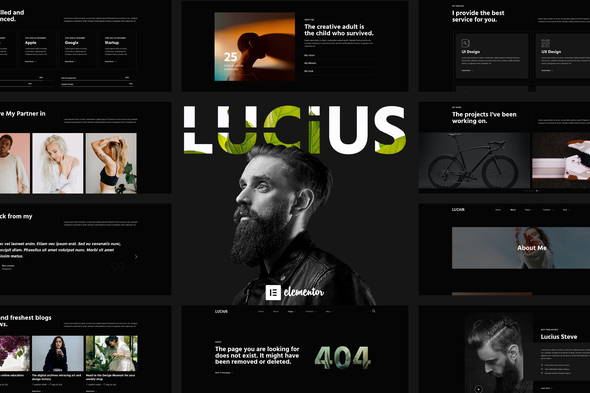
Lucius – Personal Portfolio Elementor Template Kit is made especially for artists and freelancers who want to showcase their work and abilities. Lucius has a simple, modern and clean design with a 100% responsive layout, and very easy to customize because using Elementor so you don’t need a single line of coding! This template kit includes 14+ carefully crafted templates, you can build your professional-looking portfolio website just a click away. Features: Using Free Plugins (Elementor Pro is not required) Unique & Clean Design 10+ Ready to Use Pages 14 Ready to Use Templates Fully Responsive Layout Fully Customizable Cross Browser Compatibility: Chrome, Firefox, Safari, Opera Templates Include:


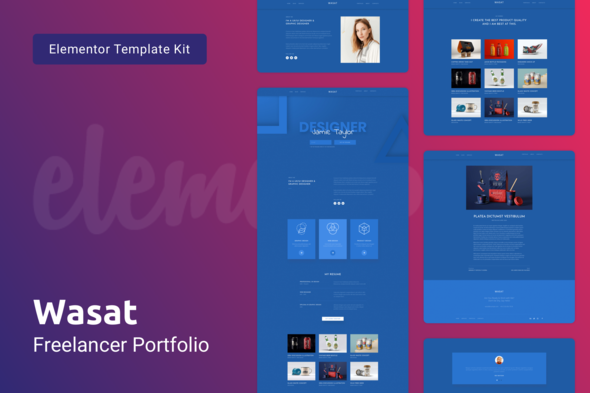
Wasat Template Kit for Elementor is a perfect solution for personal Freelancer site or for any Digital Agency. Modern minimalist design in dark blue colors puts your Portfolio in focus and gives your customers a seamless user experience on both desktop and mobile devices. The template is suited for personal websites but also suitable for Creative Agencies or Photographers. Explore all of 30+ unique layouts created by professional designer Nelly-K, check out the demo. A minimalist Template Kit with a strong focus into the details, it will assure a robust layouts kit to work with, plus a very user-friendly drag and drop Elementor page builder through which you will be able to modify every single WordPress pag
0/ 1
12
JC – CV Resume Template Kit is a collection of layout templates for the Elementor Page Builder WordPress plugin. It is clean and modern design which is useful for cv, resume, portfolio websites, and others. Features: Modern & Clean Design 10 Pages Ready to Use Templates Easy to Customize Fully Responsive Note: This kit requires Elementor Pro upgrade, not included in download. Elementor Pro Theme Builder: Header Footer Required Plugin: Elementor Elementor Pro (not included) How to Install: Install and Activate the “Envato Elements” plugin from Plugins > Add New in WordPress Do not unzip Go to Elements > Installed Kits and click the Upload Template Kit button. Before importing a template, ensure the Install Requir
0/ 1
3
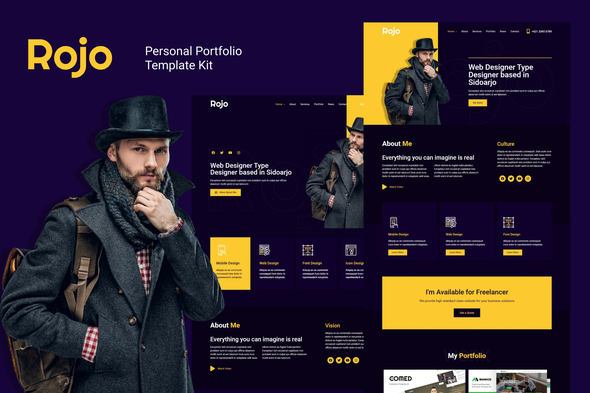
Rojo is a clean, modern, and creative design Template Kit. it is designed for portfolio, cv, personal, portfolio services or business who wants to showcase their work, services and professional way. Templates : Homepage 1 Homepage 2 Homepage 3 About Services Portfolio News Single News Contact Required Plugins : Elementor (Free) Elementor – Header, Footer & Blocks Contact Form 7 PowerPack Lite for Elementor How to import Template Kit? Install and Activate the “Envato Elements” plugin from Plugins > Add New in WordPress Do not unzip Go to Elements > Installed Kits and click the Upload Template Kit button. Before importing a template, ensure the Install Requirements button is clicked
0/ 0
5
To świetny moduł dodatkowy do twojego sklepu VirtueMart. Moduł pomoże Twoim klientom łatwo znaleźć produkty na podstawie Wyszukiwania według słów kluczowych. Dzięki technologii Ajax odwiedzający nie muszą czekać na załadowanie całej strony VirtueMart, aby zobaczyć wyniki wyszukiwania. Działa dobrze w wielu wersjach VirtueMart i Joomla. Funkcje - Łatwe wyszukiwanie według słów kluczowych Moduł pomoże kupującym łatwo znaleźć produkty oparte na wyszukiwaniu słów kluczowych. - Technologia Ajax z technologią Ajax Dzięki technologii Ajax odwiedzający nie muszą czekać na załadowanie całej strony VirtueMart i uzyskanie wyników wyszukiwania. Wystarczy wpisać 3 znaki słowa kluczowego, a wyniki będą pięknie wyświetlane wraz z miniaturą obrazu i ceną.
3.67/ 3
22
Elixir to czysty i profesjonalny szablon strony, idealny do restauracji, piekarni, wszelkich firm z branży spożywczej i osobistych stron internetowych szefów kuchni. Zbudowany na Wordpress z HTML5 / CSS3. Jest również responsywny - zmieści się doskonale na wszystkich urządzeniach. Więcej funkcji z 4 stronami domowymi (LUKSUSOWA RESTAURACJA - GRILL AMERYKAŃSKI - STYL WŁOSKI - ŻYWO AZJI), 1 Menu żywności i wiele więcej daje więcej miejsca do pracy, a także z kilkoma wierszami kodu. Pełna lista funkcji Ultra Responsive ELIXIR jest w 100% responsywny, każdy element, w tym niesamowity suwak, jest w pełni responsywny. Responsive Valid HTML5 i CSS3, Kompatybilny z wieloma przeglądarkami Obsługa jednej strony i wielu stron Retina Zawarliśmy wyświetlanie siatkówki o
3.68/ 92
1675
Ra Creative Wireframe to duży szkielet dla strony internetowej w branżach kreatywnych (np. Fotografia, architektura, agencja medialna itp.). Ten zestaw szkieletowy zawiera ponad 200 kart szkieletowych w 16 popularnych kategoriach i wszystkie można dostosować, aby wyrazić własną kreatywność. Projekt oparty jest na 12 kolumnach, siatce Bootstrap na Twitterze. Ra Creative Wireframe jest teraz dostępny w formacie Sketch.
0/ 0
4