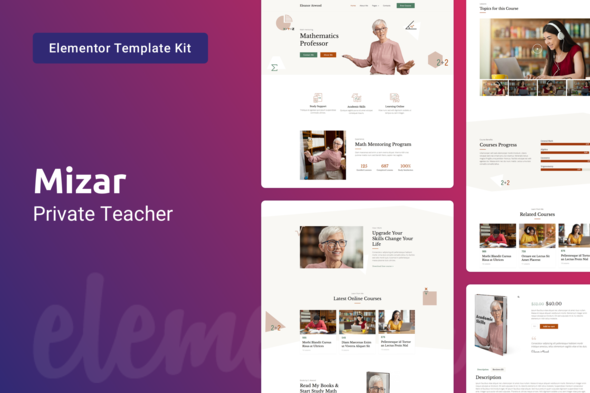
Mizar — Elementor Template Kit for coaching and personal trainer, education coaches and mentor, individual instructor, private teacher, online tutoring teacher, and education consultants. This Elementor Template Kit for creating education courses, education kids, education services, education center, private teacher website. Mizar is an online tutoring math Elementor Template Kit for education website. Mizar is a responsive clean and modern Elementor Template Kit for any School website, Privat Teacher website, College website, University, and other Educational Institutions. Mizar is made with Elementor Page Builder. Since it’s compatible with WooCommerce, the kit will be a great option if you wish to sell things via your website. WooComme


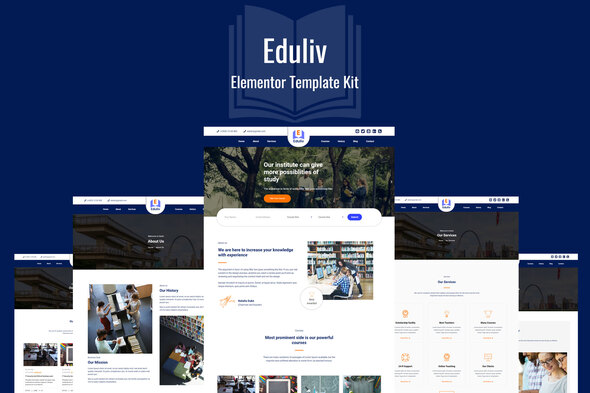
Eduliv – Education Elementor Kit Eduliv is the ultimate Elementor Template kit for Education, Schools, Courses and other similar businesses. With its beautiful design, and look that create trust, its the best fit for this Industry. This Education Elementor Template kit can be customized to your specific needs with incredible ease, thanks to powerful Elementor Pro page builder. Included Pages/Blocks Home – Page About – Page Courses – Page Contact – Page Services – Page Heading – Block Services – Block Pricing – Block Testimonial – Block Team – Block Courses – Block About – Block Slider – Block Required Plugins Elementor Pro Why Choose Eduliv Awesome design Essential prebuilt pages Many prebuilt sections Click
0/ 1
16
Educator – fresh & modern Education Elementor Kit. It works for: courses, preschool, primary school, secondary school, high and higher education. Also for college, university or academy, informal learning, institute. Furthermore, it is good for distance private schools, home-learning, tutoring, teaching, language school, course, class, training. Also for traditional public school, charter school, boarding school, virtual self-learning. Main Features 1 Click Installation Lifetime Free Updates 24/7 Customer Support Kit Includes: Home Template About Us Contact Us Page Courses Page Course Page Pricing Page Blog Blog Single How to Install: Install and Activate the Envato Elements plu
0/ 1
15
eTutor is an education & online course Elementor template kit. It‘s specially designed for the IT education industry. In this template kit includes 10 useful page templates for Elementor and Elementor Pro. It’s very easy to use with the Template Kit Import plugin. This Template Kit uses demo images from Envato Elements. You will need to license these images from Envato Elements to use them on your website, or you can substitute them with your own. https://elements.envato.com/image-U93JYH3 https://elements.envato.com/image-P8DEZEW https://elements.envato.com/image-JGY9W43 https://elements.envato.com/image-UZ6JGPX https://elements.envato.com/image-PWB6M67 https://elements.envato.com/image-EYZ6QSV https://elements.envato.com/image-C
0/ 1
29
Aspien template is easy to drag & drop. business connecting contains services that the client will provide to connect with each other. equipped with various pages that are very relevant to your needs. All Features : 10+ Elementor Templates 1 Click Installation Lifetime Free Updates 24/7 Customer Support Kit Includes : Home About Services Career Team Solution 404 FAQ Blog Single Post Contact Required Plugins : Elementor Pro How To Install : Install and Activate the “Envato Elements” plugin from Plugins > Add New in WordPress Do not unzip Go to Elements > Installed Kits and click the Upload Template Kit button. Before importing a template, ensure the Install Requirements button is clicked to activate
0/ 0
2
Witamy! Czy chcesz uwzględnić możliwości robienia zdjęć w swojej hybrydowej aplikacji na Androida? W takim przypadku warto zacząć od Android Photo Taker. Korzystając z naszego już utworzonego i przetestowanego kodu, z zaledwie kilkoma liniami dodatkowego kodu, możesz pozwolić użytkownikowi robić zdjęcia za pomocą aparatu w telefonie lub wybierać zdjęcia z galerii zdjęć. Za naciśnięciem jednego przycisku wywołujesz nasz kod Androida w jednym wierszu, a magia się dzieje: na ekranie pojawia się okno dialogowe umożliwiające użytkownikowi wybranie źródła zdjęcia - aparatu lub libabry. Po zakończeniu procesu będziesz mógł zrobić to zdjęcie i zrobić z nim, co chcesz: pokazać je w przeglądarce, przesłać do bazy danych lub dowolnego innego procesu zdefiniowanego przez logikę aplikacji.
4.67/ 3
39
Rozpoczęcie pracy Moduł Backshand Socialshare pozwala właścicielom sklepów udostępniać produkty w portalu społecznościowym (Facebook, Twitter i Google+) z backendu i może włączać lub wyłączać Facebook, Twitter i Google oraz przycisk udostępniania i podobania. Funkcje zaplecza Socialshare Właściciel sklepu pozwala udostępniać produkty z zaplecza na portalu społecznościowym (Facebook, Twitter i Google+). Łatwa instalacja i konfiguracja. Łatwy w użyciu bez żadnego API. Możesz ustawić Twittera „Tekst” i „HashTag” Ustawienia przyjazne dla użytkownika (dostępne w ramach konfiguracji sklepów) Ustawienia Ogólna konfiguracja Włącz / wyłącz Facebook, Twitter i przycisk Google plus. Backend Właściciel sklepu może udostępniać produkty ze strony edycji produktu. Uwaga: właściciel sklepu może
0/ 0
2