
Eduti – Education Elementor Template Kit This template kit suitable for your Company or Education website, we made an Simple design with heart to make it unique and professional, this template Kit is adaptive for any kind device such as a computer, tablet, smartphone, etc. Page Template - Home / Landing Page (3 different design) - About - Services - Blog - Single Post - 404 Page - Gallery - FaQ - Contact Required Plugins - Elementor - Premium Addons for Elementor This kit requires the Elementor Pro upgrade for some templates and features (not included) How to Install: Install and Activate the Envato Elements plugin from Plugins > Add New in WordPress, then import the Kit zip under Installed Kits by clicking the Import Kit


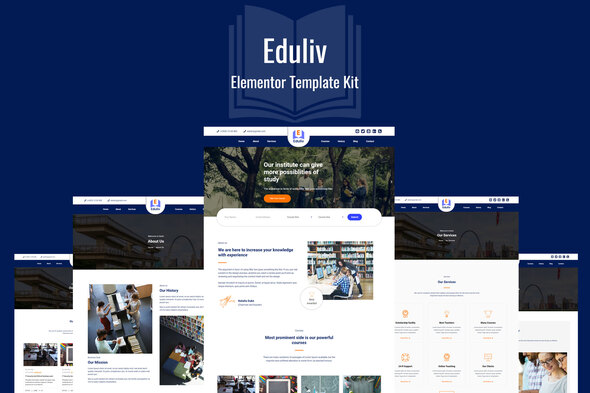
Eduliv – Education Elementor Kit Eduliv is the ultimate Elementor Template kit for Education, Schools, Courses and other similar businesses. With its beautiful design, and look that create trust, its the best fit for this Industry. This Education Elementor Template kit can be customized to your specific needs with incredible ease, thanks to powerful Elementor Pro page builder. Included Pages/Blocks Home – Page About – Page Courses – Page Contact – Page Services – Page Heading – Block Services – Block Pricing – Block Testimonial – Block Team – Block Courses – Block About – Block Slider – Block Required Plugins Elementor Pro Why Choose Eduliv Awesome design Essential prebuilt pages Many prebuilt sections Click
0/ 1
16
Educator – fresh & modern Education Elementor Kit. It works for: courses, preschool, primary school, secondary school, high and higher education. Also for college, university or academy, informal learning, institute. Furthermore, it is good for distance private schools, home-learning, tutoring, teaching, language school, course, class, training. Also for traditional public school, charter school, boarding school, virtual self-learning. Main Features 1 Click Installation Lifetime Free Updates 24/7 Customer Support Kit Includes: Home Template About Us Contact Us Page Courses Page Course Page Pricing Page Blog Blog Single How to Install: Install and Activate the Envato Elements plu
0/ 1
15
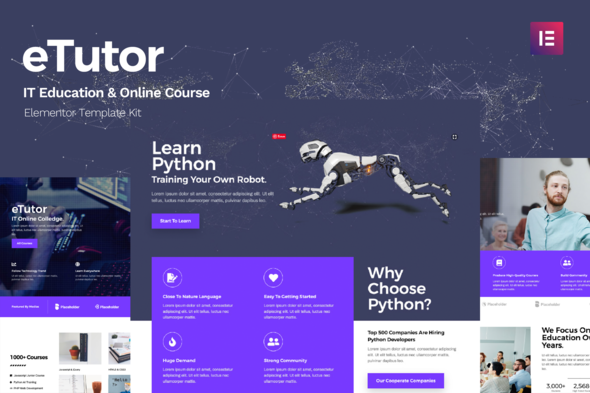
eTutor is an education & online course Elementor template kit. It‘s specially designed for the IT education industry. In this template kit includes 10 useful page templates for Elementor and Elementor Pro. It’s very easy to use with the Template Kit Import plugin. This Template Kit uses demo images from Envato Elements. You will need to license these images from Envato Elements to use them on your website, or you can substitute them with your own. https://elements.envato.com/image-U93JYH3 https://elements.envato.com/image-P8DEZEW https://elements.envato.com/image-JGY9W43 https://elements.envato.com/image-UZ6JGPX https://elements.envato.com/image-PWB6M67 https://elements.envato.com/image-EYZ6QSV https://elements.envato.com/image-C
0/ 1
29
Disabler Widget dla Adobe Muse to niesamowity dodatek do stron internetowych. Możesz wyłączyć klikanie prawym przyciskiem, przewijanie, zaznaczanie tekstu i paski przewijania (pionowy i / lub poziomy pasek przewijania). Również przy wyłączonym Prawym kliknięciu możesz dodać wiadomość do użytkownika, który kliknął prawym przyciskiem myszy. Zabezpieczanie strony internetowej przed kopiowaniem treści. Jeden z bardzo przydatnych widżetów w naszej kolekcji widżetów sprzedawanych dla Adobe Muse. Instalowanie i korzystanie: 1. Po pobraniu widgetu rozpakuj go w żądanej lokalizacji (folderze). 2. Uruchom Adobe Muse. 3. Przejdź do wyodrębnionego miejsca i kliknij dwukrotnie „Nakshatra - Disabler”. 4. Wróć do Adobe Muse, wyciągnij panel Biblioteka (Menu Okno - Biblioteka). 5. W menu biblioteki powinieneś znaleźć folder o nazwie Nakshat
0/ 0
3
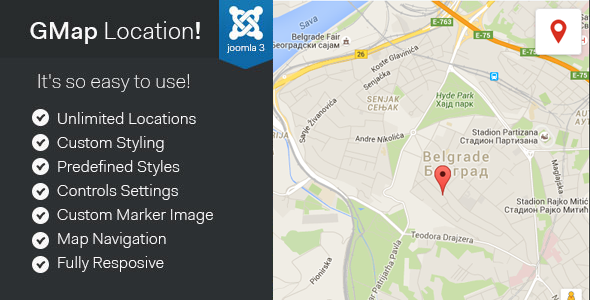
Jeśli demo nie działa, kliknij, aby usunąć ramkę, lub możesz znaleźć demo tutaj: Demo GMap Lokalizacja! to moduł Joomla 3.x, który pozwala łatwo dodawać mapy Google do swojej witryny. Posiada łatwy w obsłudze interfejs i zaawansowane ustawienia, które pomogą Ci łatwo dostosować wygląd mapy i elementy sterujące, dodać nieograniczoną liczbę lokalizacji i znaczników, dodać nawigację po mapie w ciemnym i jasnym stylu. Skonfiguruj i wyświetl mapę Google na swojej stronie joomla w kilka minut !!! Cechy: Nieograniczona liczba znaczników i lokalizacji Niestandardowe jasne i ciemne kolory mapy Wstępnie zdefiniowane style kolorów mapy Ustawienia kontroli mapy Niestandardowy obraz znacznika Nawigacja mapy z opcjami położenia i stylu Responsive ChangeLog: v2.4 automatyczne nowe linie do opisu lokalizacji
5/ 4
37
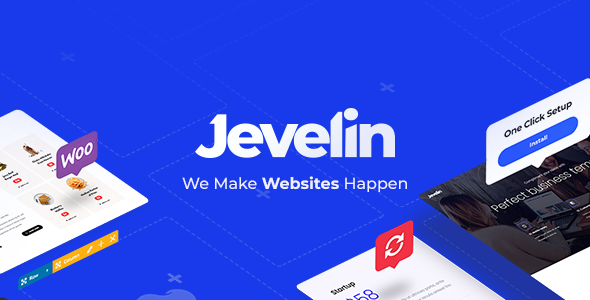
Od czasu pierwszego wydania Jevelin rozwijał się coraz silniej. Teraz, jako jeden z najpopularniejszych obecnie dostępnych wielofunkcyjnych motywów WordPress, użytkownicy konsekwentnie przyznawali Jevelin pozytywne oceny. Wraz z rosnącą biblioteką wysokiej jakości, profesjonalnych projektów witryn internetowych, które można zaimportować do witryny WordPress za pomocą zaledwie kilku kliknięć, Jevelin może pomóc w uruchomieniu szerokiej gamy witryn w mgnieniu oka. Od korporacyjnych stron domowych i witryn agencji po strony docelowe, początkowe strony docelowe, strony z wydarzeniami, ślub, fotografie, fitness, e-commerce, blog i kreatywne portfolio - Jevelin obejmuje pełne spektrum projektów. Dzięki bogactwu opcji dostosowywania, ustawień i narzędzi, personalizujemy wersję demo
4.65/ 229
12475