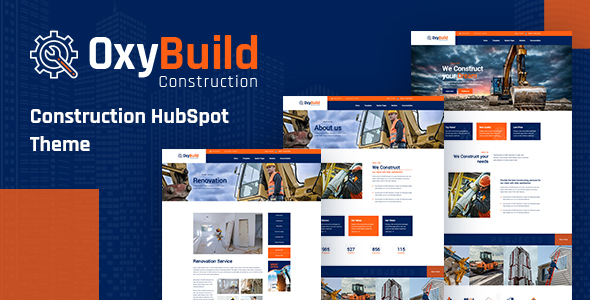
OxyBuild- Construction HubSpot Theme is suitable for Industry, Products Manufacturing companies, building companies, architecture firms, and the like can take to their advantage by using OxyBuild- Construction HubSpot Theme. With this sophisticated exclusive Construction HubSpot Theme, you can quickly have things in order. OxyBuild- Construction 13 templates and 30 modules to build website pages easily inside HubSpot CMS drag n drop system. Online Documentation | Custom Modules List of Page Templates (13+) Home about us contact us Single Service Project two Column Our Clients Blog Left Sidebar Blog Right Sidebar Blog Detail List of Modules (30+) about-area about-area2 banner banner2 banner3 blog-are

“Dronet” is a full functional HubSpot Theme designed & developed for Drone & UAV business websites and comes handy for corporate business websites as well. It is fully responsive theme for all screen sizes from the bigger ones to smartphones. Features Twitter Bootstrap Elements Retina Ready – Fully Responsive Grid / List views Isotope Galleries ($25 value) Font Awesome Web-Font Icons Multiple Sliders Google Fonts Support SEO Optimized Google Maps Touch/Swipe Support for Sliders Retina Ready & Fully Responsive Well Documented for Easy Editing Compatible With All Latest Browsers Prebuilt DND Templates Home About Pricing Contact Landing Page Template Left Sidebar Template Right Sidebar Blog Index Blog Index Grid Blog Post P
0/ 0
2
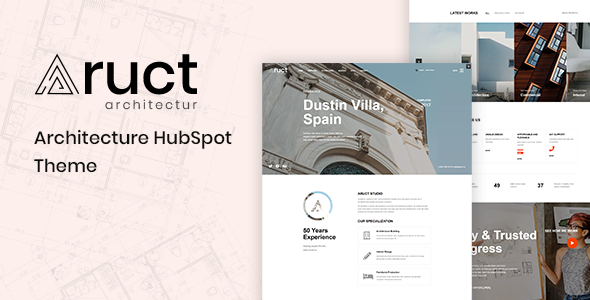
Suppose you want to make a statement about your architectural work or run an interior design business with some design styles to showcase on your website. In that case, you need those designs showcased beautifully on the site. Aruct is one of a kind HubSpot theme that will do just that for you. The clean and elegant layouts are perfect for showcasing both types of architecture we offer and enjoy displaying our latest projects in categories such as buildings or residential arts. Designed to best suit architecture studios, Auct’s Architecture HubSpot Theme comes with nine templates and 23 modules. All pages showcase a clean design with elegant, modern aesthetics. For example, the home page is full of rich colors and menus that are easy to
0/ 0
2
Conbiz – Consulting Business & Agency HubSpot Theme It is a clean, modern, and professional HubSpot Theme built for Consulting, Finance, Business, Corporate, Financial Advisors, Insurance Brokers, Accountants, Lawyers, Consultants, Agency, Accountant, Startup companies, Finance businesses, Consulting firms. It is clean, modern, and simple easy to customize. List of Modules: About Section About Section 2 Achievement Section Banner Section Blog Listings Blog Pagination Brand Section Contact Box Contact Form Section Footer Contact Footer Top Section Google Map Header Right Section Left Sidebar Widget 1 Member Details Top Part Menu Section Mobile Menu Bottom Contact N
0/ 0
0
All In One Videos is new application that offers great collection of Video for your android device from Most Popular Video Sharing website. Are You thinking about to make video application that play video of your choice. The application is specially optimized to be extremely easy to configure and detailed documentation is provided. Features Android SDK 30 5 Type of Videos : Self Hosted,Facebook,YouTube,Daily Motion,Vimeo You have upload video on your server also.(.mp4 and.3gp) Supports 720p/1080p HD mp4,mkv,m4v,rm,tp and many other video formats Supports m3u8 formats apps Dark and Light Mode feature Admin Panel Dark and Light Mode Add to Favorite Mode Video Comments User Login and Registratio
4.11/ 9
53
Multiple Informatic Form for Adobe Muse Multiple Informatic Form to widget dla Adobe Muse CC. Zawiera wiele różnych rodzajów formularzy. Główna cecha: Ponad 3 formy kreatywne Zawartość opakowania: [TA] - Animacja CSS [Widżet] Plik serwera (PHP) Dokumentacja zasoby index.html Przejdź do lokalizacji, w której pobrano plik widżetu. Wyodrębnij zawartość pliku. Kliknij dwukrotnie plik MULIB, aby zaimportować go do biblioteki. Spowoduje to uruchomienie programu Muse, jeśli nie jest jeszcze otwarty. Po rozpakowaniu plików kliknij ikonę Importuj bibliotekę Muse w dolnej części panelu Biblioteka w Muse. Przejdź do lokalizacji, w której wyodrębniono pliki widgetów. Wybierz plik MULIB. Uwaga: plik pomocy znajduje się w głównym pakiecie
0/ 0
6


.jpg)